

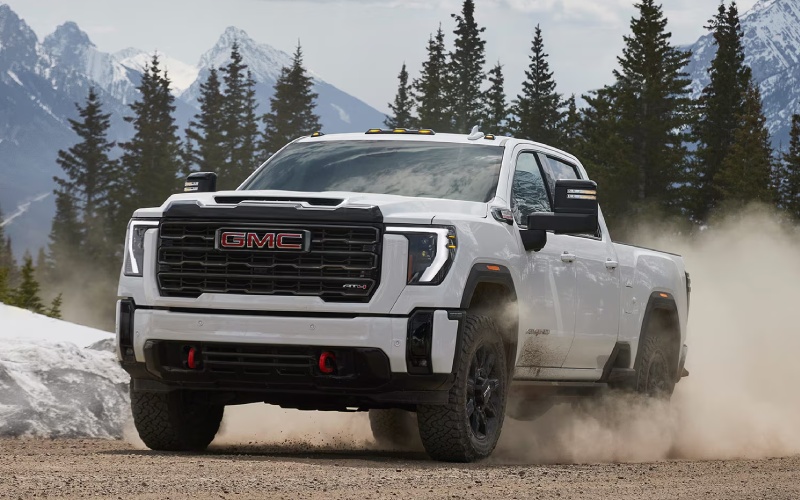
DeKalb Sycamore GMC - Which 2026 GMC Sierra 2500 HD Camera Views Help Most for Towing around Rockford, IL?
Modern trailering confidence is about more than raw power — it is about clear visibility and the right information at the right moment. The 2026 GMC Sierra 2500 HD shines here with available camera technology that provides up to 14 camera views, including Transparent Trailer View, HD Surround Vision, Hitch View, and Bed View. Around Rockford, IL, where tight jobsite access and multi-lane merges are common, these perspectives can make every hookup and haul feel easier and more precise.
In this guide, we will break down the most useful views for everyday towing, explain how they work together with the ProGrade® Trailering System, and offer a few setup tips you can put to use on day one. If you are deciding between trims, we will also point out where you can find the features you care about most, all while keeping the process simple and practical.
Core Views That Build Confidence
The available camera suite is designed to give you the right angle at the moment you need it. Whether you are aligning a weight-distributing hitch, threading through a storage lot, or changing lanes at highway speed, it is about clarity and control.
- Transparent Trailer View: Uses advanced video processing to help you virtually see “through” a compatible trailer, revealing traffic and obstacles behind you for more confident lane changes and merging.
- Hitch View: Centers the hitch and receiver on the display to simplify solo hookups, so you spend less time getting aligned and more time on the road.
- HD Surround Vision: Creates a top-down view around the truck to help with low-speed maneuvering in tight spaces like storage depots or crowded trailheads.
- Bed View: Lets you monitor cargo or a fifth-wheel/gooseneck connection, which is helpful when confirming securement or checking for shifting loads.
- Rear Side View (with Trailer): Extends perspective down the trailer’s flanks, improving awareness when turning or backing near curbs, cones, or other vehicles.
Each view is helpful on its own, but together they reduce guesswork. Transparent Trailer View, in particular, is a game-changer on Route 20 or I-39 around Rockford, letting you more confidently change lanes while towing.
ProGrade® Trailering System Synergy
Camera tech is only part of the story. The ProGrade® Trailering System brings an In-Vehicle Trailering App to the 13.4" diagonal center touchscreen, tying your camera angles to tools you will use every trip. Create trailer profiles with custom checklists, run light tests, review maintenance logs, and pull up guidance for hitching — all from one place. The synergy between the app and cameras means setup is faster and on-road monitoring is simpler. Add Adaptive Cruise Control with trailering for steadier gaps in traffic, and the Sierra HD does more of the heavy lifting, mentally and physically.
How To Set Up Your Views Before You Roll
Getting your camera views dialed in takes minutes and pays off immediately. Use this quick process before your first tow — it is straightforward and helps you get the most from the system on busy Rockford-area roads.
- Create a trailer profile: Open the In-Vehicle Trailering App, add your trailer type and weight, and save it for quick recall later.
- Run a light check: Use the app’s step-by-step light test to verify brake, marker, and turn signals are functioning correctly.
- Align with Hitch View: Activate Hitch View, back slowly until your ball and coupler align, and confirm secure connection and latch.
- Position side cameras: Turn on Rear Side View (with Trailer) and adjust mirrors so you can see trailer wheels and lanes at a glance.
- Enable Transparent Trailer View: Calibrate as prompted so you can virtually “see” behind the trailer while driving.
Once you have your views set, toggle through them as needed with steering-wheel controls or on the touchscreen. You will quickly find a rhythm that matches your driving style and familiar routes.
Which Trims Offer the Camera Tech?
Availability varies by configuration, but you can equip up to 14 available camera views across much of the lineup. SLE introduces the larger 13.4" diagonal center touchscreen and 12.3" diagonal digital Driver Information Center that make viewing and switching camera feeds seamless. SLT adds the ProGrade® Trailering System with the In-Vehicle Trailering App, while AT4, Denali, and Denali Ultimate make it simple to add the most comprehensive camera packages and HD Surround Vision. If you plan frequent towing and backing into tight storage lots, prioritize these packages early in your build.
Everyday Driving Benefits Beyond Towing
Even when you are not trailering, the camera tech proves its worth. HD Surround Vision assists with parking in older city lots or tight driveways. Bed View is handy for checking toolboxes or cargo straps on the move. And Hitch View makes quick work of attaching bike racks or utility trailers. In short, the cameras do not just help on road trips — they earn their keep around town, all week.
Frequently Asked Questions:
Does Transparent Trailer View work with any trailer?
Transparent Trailer View requires a compatible trailer size and setup to properly “stitch” the image. Our team can help you confirm compatibility and demonstrate calibration before your first tow.
Can I record or save camera footage?
The system is designed for real-time visibility and maneuvering assistance. For specialized recording needs, ask about accessory solutions that can complement the factory setup.
How hard is it to switch between views while driving?
It is simple. Use the center touchscreen or steering-wheel controls to cycle through camera views. The interface is designed to be intuitive so you can keep your focus on the road.
Do I need the largest touchscreen to get these features?
The 13.4" diagonal center touchscreen enhances clarity and ease of use, especially when splitting views or accessing the In-Vehicle Trailering App. We recommend it if camera tech is a priority for you.
Choosing the right visibility tools is just as important as choosing the right engine. With the Sierra HD’s available camera views, you can see more, react faster, and back with precision. DeKalb Sycamore GMC is serving West Dundee, Rockford, and North Aurora, and we can walk you through camera options, demonstrate hitching tools, and help set up your first trailer profile so you are road-ready from day one.